
STEP 1 - Branding on-boarding
Please watch this video to see what to expect during the "Build" phase of your 4-month program.
We're going to completely optimize and rebrand your portfolio, then align your branding on Twitter and even your email signature. Whether you're a total beginner or already have some content, we'll build a professional first impression that shows brands you're serious and ready to work.

Watch the videos in order step by step and complete the assignments.
Step #1
[Download the Canva Branding Template]
This is the template you'll duplicate into your own Canva account and fill out completely. We need to learn everything about you, your story, design style, experience, and vision so we can build a brand that's authentically YOU.
The more detail you provide, the better we can craft your portfolio, positioning, and strategy. Don't skip anything every section matters.
[Recommended: Get Organized Inside Canva]
Stay organized by creating a Canva folder called "Wovvo Creator Build UGC Branding" and moving these files into it:
1. Your Canva Branding Template (the one you just duplicated)
2. Your current UGC portfolio (if you have one)
Don't have a portfolio yet? We'll build one for you and share the link.
This keeps everything in one place so you can find it fast during the program.
⭐️TIP: Bookmark the canva folder in your bookmarks
So you have access to the Canva Branding Guide & you've renamed it? 👏 Great! You may now proceed to step #2
Step #2
[Fill out the Canva Branding Template]
Double Check you re-named your document with your First Last Name
Fill out slide #1 in canva (your details)
3 UGC Portfolio Inspo (Make sure the links are added correctly)
Added Pinterest vision board & Key words
Selected your Brand colors
Picked your fonts
Select how you want your videos displayed
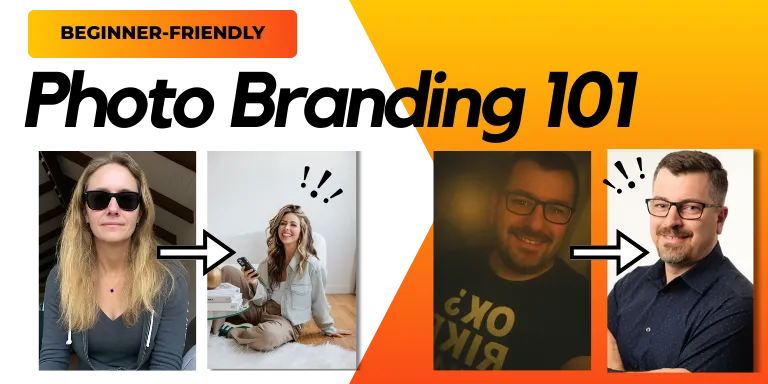
Added NEW branding photos (We highly suggest watching the Photo Branding Course prior to adding photos)
Screenshot your Website Traffic Before (only if you have Canva pro)
Screenshot Twitter page Before (If you do not have an account make sure to sign up to Twitter now)
[Courses we recommend watching as you fill out your branding guide]
-
-
-
You have
1. Completely filled out the branding guide (beginning to end)
2.Signed up for Twitter
3.Watched the Photo Branding 101 Course, taken new photos and added them to canva?
Okay great 👏 You may proceed to the step #3
Step #3
[Submit the Branding Template & Editable Link in Canva]
[Coming soon -view what a correctly filled out branding guide looks like]
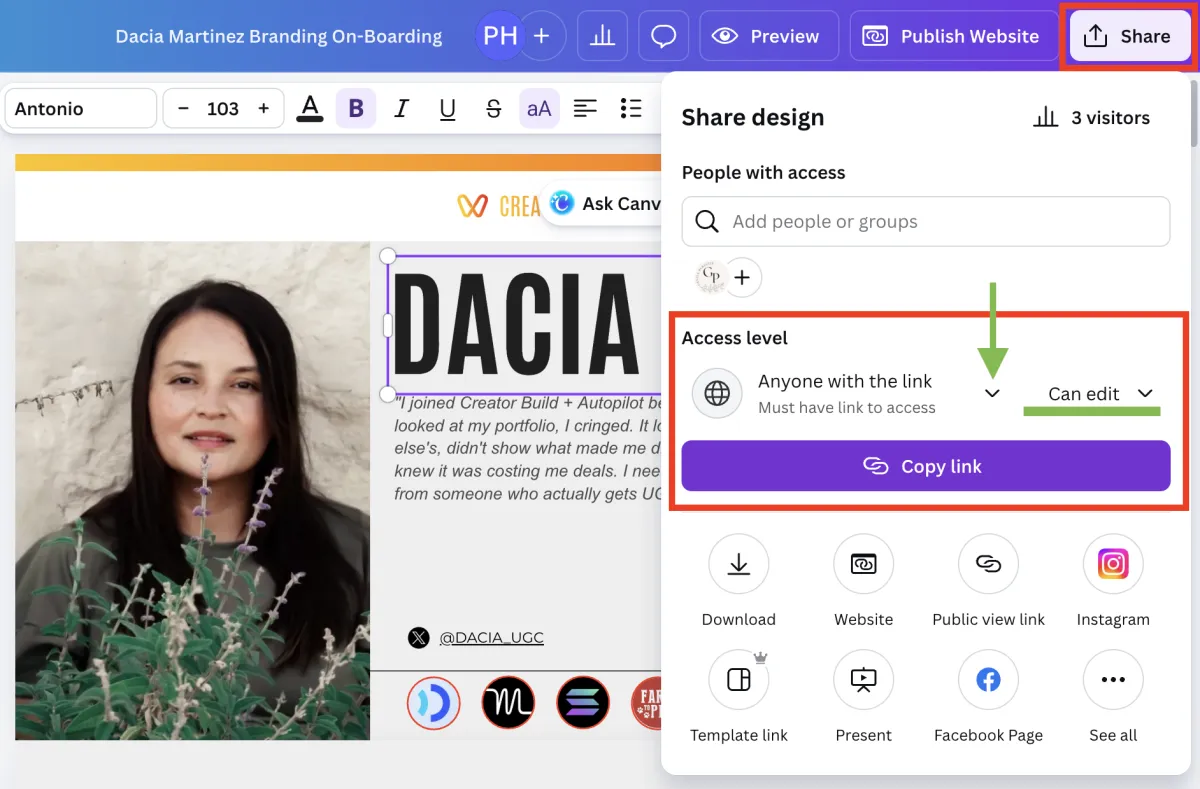
If your branding guide is completed, you can now submit
🚨 Do not rush this step
⭐️ Double check the canva name of file has your name in it
⭐️ Double check every section is filled out (no going back now!)
⭐️ Double check you've sent us the editing link
[IF you have a Canva UGC portfolio, submit your Link]
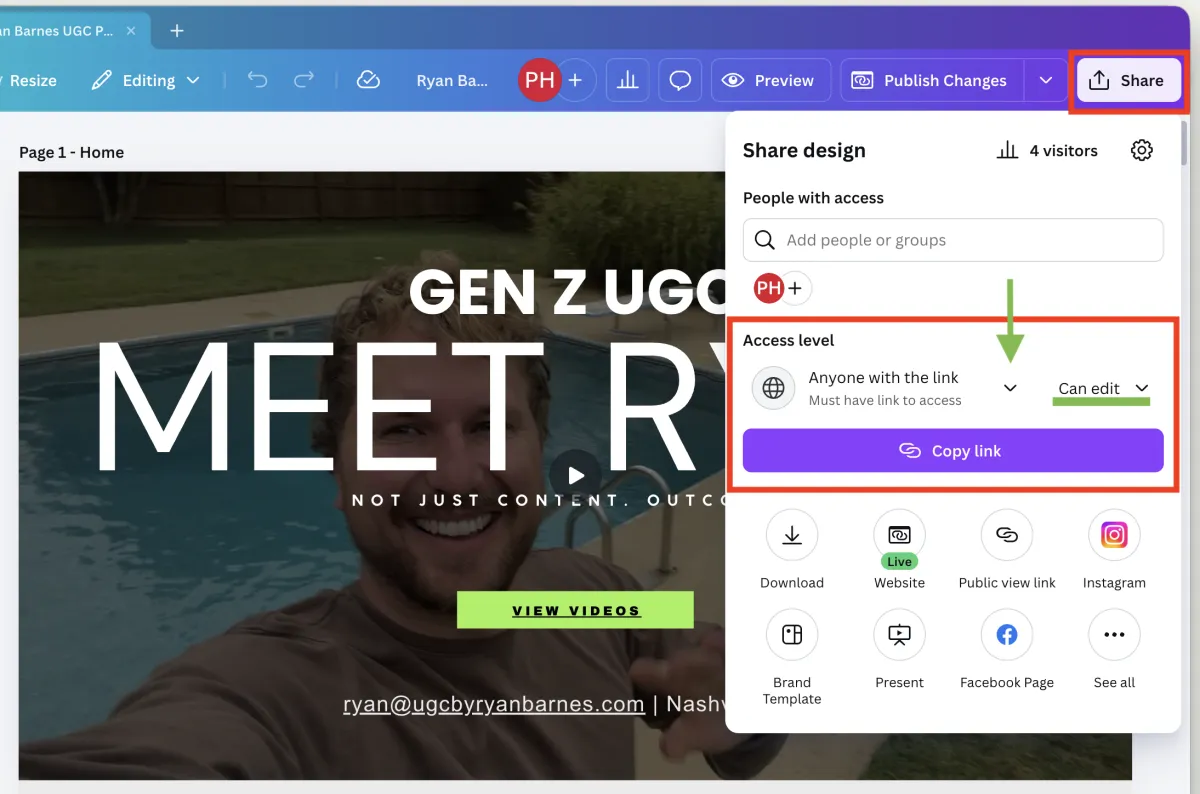
If you have a Canva UGC Portfolio, this step is mandatory
🚨 Do not rush this step
⭐️ Double check you've sent us the correct link
⭐️ Yes you can continue to use your UGC portfolio to apply for jobs. Us having the editing link will not effect you continuing your UGC job.
👏 Completed all the steps in this section?
Amazing! Watch the next video in the program
We are now working on your branding and portfolio revamp. In the meantime you have more homework to do to get your systems set up to prepare for the Autopilot part of the program. Everything happens in steps and these are the building blocks to really see success that we guarantee!

Have Technical Difficulties or Questions?
We recommend googling your tech problem first & using ChatGPT
Go to our FAQ page and see if your question has been answered
If it has not, ask your question in the FAQ page and we will respond within 72 hours
If you're still having problems you may book a call with our team.